> For the complete documentation index, see [llms.txt](https://docs.allout.game/llms.txt). Markdown versions of documentation pages are available by appending `.md` to page URLs; this page is available as [Markdown](https://docs.allout.game/using-the-editor/introduction-scene-view.md).
# Introduction/Scene View
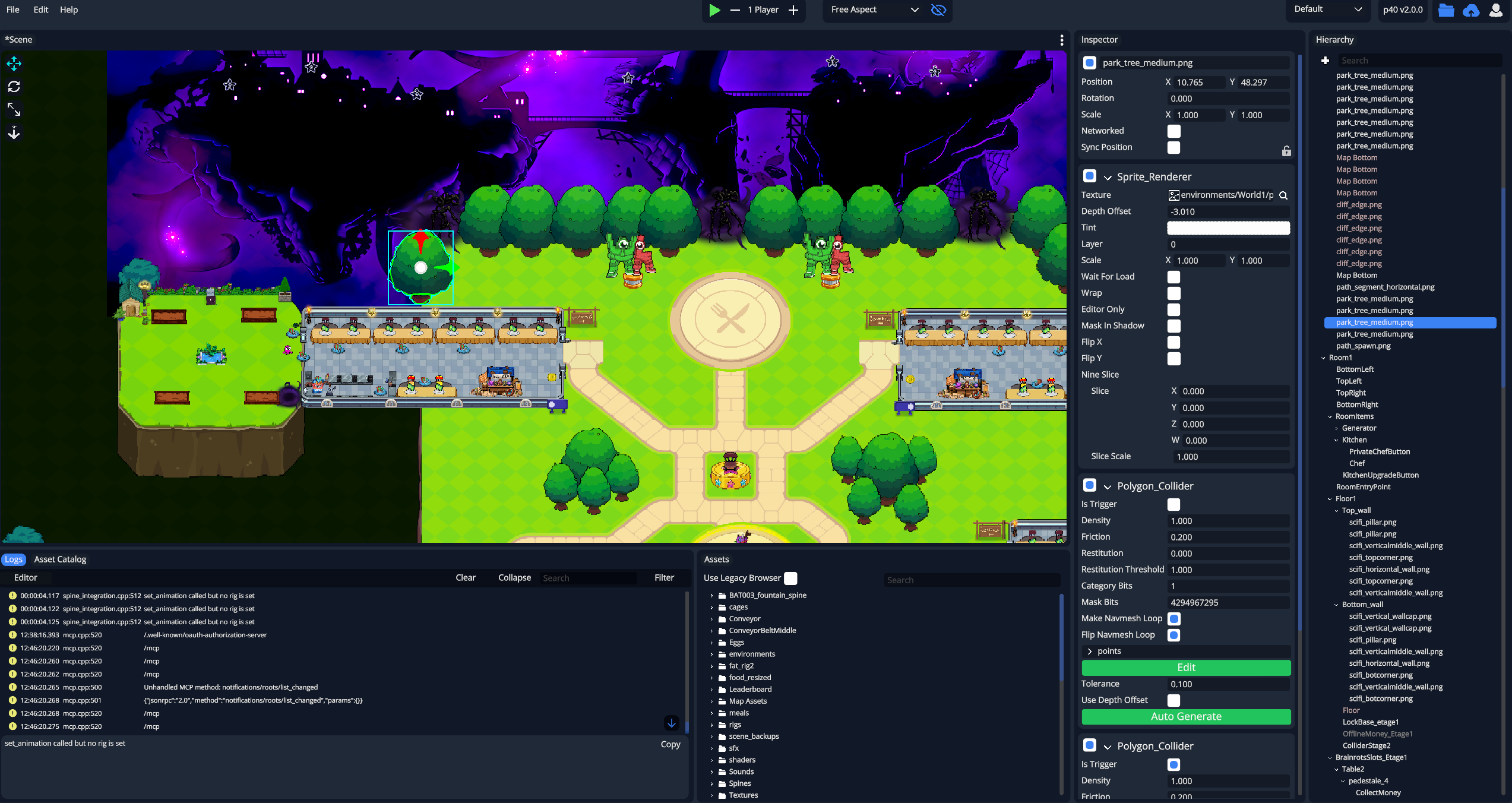
### Basic Layout
### Selecting Entities
#### Basic Selection
To select any entity in your scene, just click on it once. You can also double click any entity in your [Hierarchy](/using-the-editor/hierarchy.md) to find it in the scene quickly.
#### Group Selection
To select many entities at once, drag your mouse across the scene to create a box that will select all entities within it.
#### Lasso Tool
Hold alt and drag your mouse around the scene to select only the items that cross your mouse's path!
#### Overlapping Entities
To choose between entities that overlap or select an item behind another one, click the item multiple times to swap between them.
### Editing Tools
#### Position, Rotation, Scaling, and Depth Offset
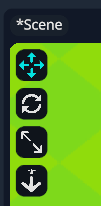
You can use the tools in the top left of the scene view to switch between positioning, rotating, scaling and changing the depth offset of entities in your world.
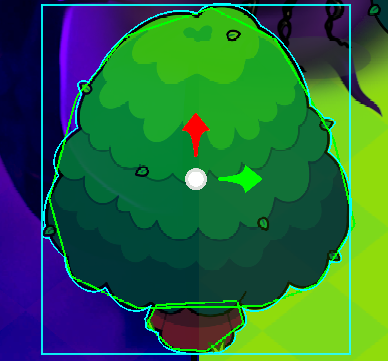
When you select each tool, it will show an overlay over the entity in the scene you can use to adjust its properties.
If you click and drag the center circle, this will freely move the tree anywhere you want.
You can click and drag the red or green arrows to lock your movement left/right or up/down for more precise adjustments.