> For the complete documentation index, see [llms.txt](https://docs.allout.game/llms.txt). Markdown versions of documentation pages are available by appending `.md` to page URLs; this page is available as [Markdown](https://docs.allout.game/using-the-editor/asset-catalog.md).
# Asset Catalog
All Out provides 250,000+ assets for you to use freely in your games made on the platform!
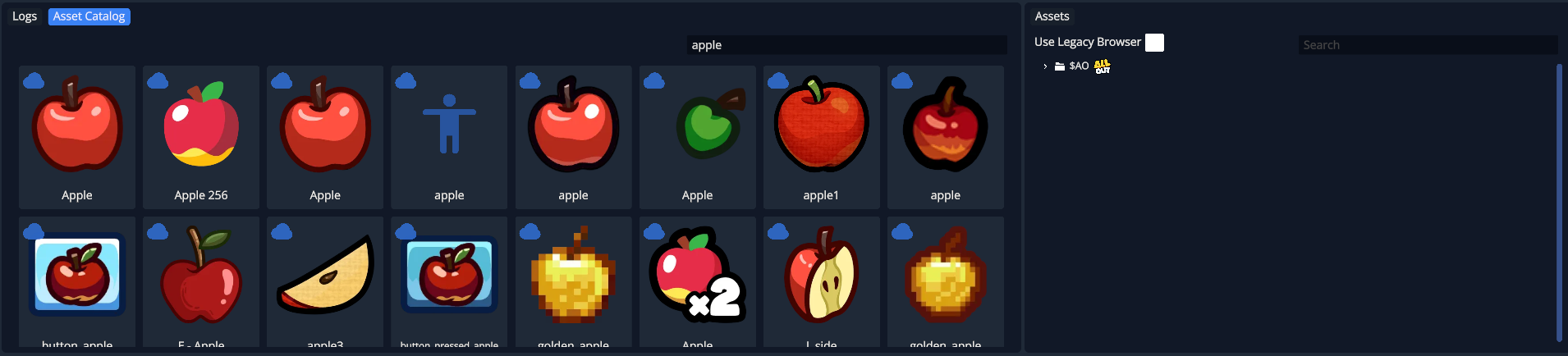
At the bottom of the editor are two windows. The **Asset Catalog** and the **Assets** view
#### Adding Assets From the Asset Catalog
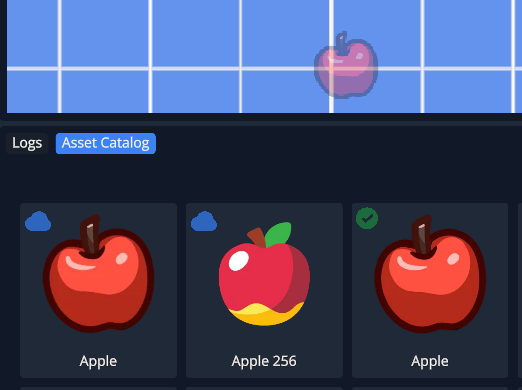
To add textures, sound effects, and animations to your project: search for what you're looking for, then click the cloud icon to download it. You can also drag a texture or Spine animation into the scene to download and place it.
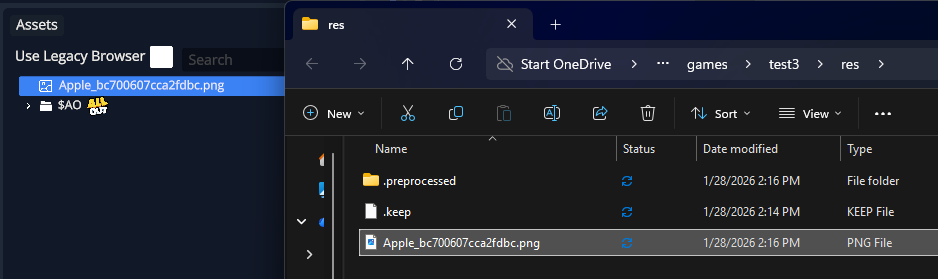
The **assets** pane on the right shows all the files and folders inside of your game's `res` directory. You can pull these assets directly into your scene by dragging them in, or reference them in your scripts.
#### Adding Assets From Your Local PC
You can add textures (.png), sound effects (.wav) or [Spine Animations](/core-engine-concepts/spine.md) from your local computer to the `res` folder to use them in your game.
Sound effects must be PCM-encoded `.wav` files. Spine rigs need a matching `.spine`, `.atlas`, and every image file named by the atlas.
See [Spine Animations](/core-engine-concepts/spine.md) for the Spine bundle layout.