> For the complete documentation index, see [llms.txt](https://docs.allout.game/llms.txt). Markdown versions of documentation pages are available by appending `.md` to page URLs; this page is available as [Markdown](https://docs.allout.game/using-the-editor/building-worlds.md).
# Building Worlds
Now that you have the basics of using the editor down, here are some tips on building immersive, high-quality worlds in All Out:
### Layering and Depth Offset
Sprite\_Renderers and Spine\_Animators have two unique properties that determine which is on top as they move up and down in the scene.
**Layer** is the broad and simple way of deciding what goes on top. Elements with a low layer will be behind everything. Some recommended values might be:
* Map background textures: -100 layer
* Players, NPCs, Cars: 0 layer
* Overlays, clouds, particles: 100 layer
**Depth Offset** is more precise and lets you determine when something will go behind something else if it's **on the same layer**.
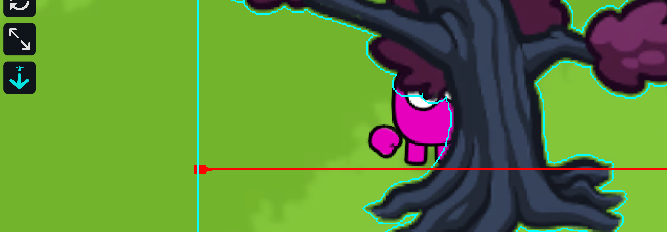
* Adjust the depth offset easily using the depth offset tool in the top left of the scene view.
The player will appear behind the object when it is above the red line, and in front of the object when it's below.
### Schleem for Scale
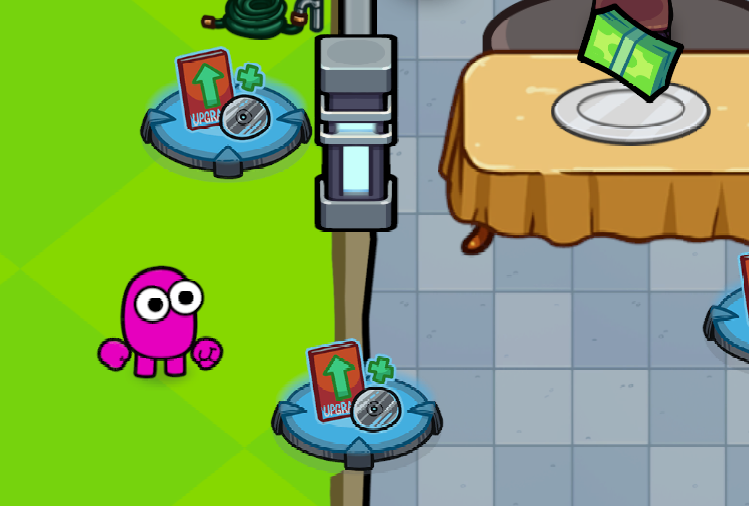
To easily check the sizing and layering of elements in your game, you can preview a player's character by holding `Alt+Space` and moving your mouse around the scene window.
Hold **Ctrl** as well to snap the preview to the nearest point on the selected navmesh.