> For the complete documentation index, see [llms.txt](https://docs.allout.game/llms.txt). Markdown versions of documentation pages are available by appending `.md` to page URLs; this page is available as [Markdown](https://docs.allout.game/scripting/cursor-claude-antigravity-setup.md).
# Cursor/Claude/Antigravity Setup
You can write CSL with any text editor, but using an editor with CSL tooling makes a huge difference: syntax highlighting, inline errors, autocomplete, and quick navigation.
It's also even easier than ever to get started thanks to tools that integrate AI agents which can help you learn and write CSL.
You’ll write `.csl` files inside your project’s `scripts/` directory.
## 1. Using the Agent Panel
If you want the simplest setup, use the AI Agent panel inside the All Out editor.
Using the agent panel only requires having one of the industry standard AI subscriptions. Today we support:
* OpenAI/ChatGPT Codex
* Claude Code
* OpenCode
Whether you use the built-in agent panel or a third-party agent directly, the editor adds a few project files to your game folder to give the agent better context:
* `AGENTS.md` with information about All Out and CSL
* `.agents/skills/` and `.claude/skills/` with engine-specific workflows
* `api_references/` with the current CSL API as `.csl_engine` files
* `.mcp.json`, `.cursor/mcp.json`, `.codex/config.toml`, and `opencode.json` so supported tools can connect to the editor for compiling and fetching assets
## 2. Third Party Agents
{% tabs %}
{% tab title="Installing Cursor (programmers)" %}
We recommend Cursor (or VS Code) to develop All Out games. Our editor extension provides:
* Syntax highlighting support
* Inline compile error diagnostics
* Autocomplete
1. [Download and install Cursor](https://cursor.com/)
2. [Install the All Out CSL extension](https://marketplace.cursorapi.com/items/?itemName=AllOutGames.csl-language-tools)
3. Open your game project folder in Cursor (the folder that contains `scripts/` and `res/`)
{% hint style="info" %}
All Out automatically adds some files to your project to help give AI context:
* `AGENTS.md` with information about All Out and CSL
* `.agents/skills/` and `.claude/skills/` with engine-specific workflows
* `api_references/` with the current CSL API as `.csl_engine` files
* `.mcp.json`, `.cursor/mcp.json`, `.codex/config.toml`, and `opencode.json` for editor access
{% endhint %}
{% endtab %}
{% tab title="Installing Claude Code (non-programmers)" %}
If you don't have much experience programming, or prefer using Claude Code, we also have native support for it.
Claude Code is an AI tool that can write and debug CSL scripts for you.
1. [Download and install Claude Code](https://code.claude.com/docs/en/overview)
2. Open a terminal inside your game project folder and type `claude` to login with your Claude account.
{% hint style="warning" %}
Even if you use an AI model, it helps a **ton** to spend some time getting familiar with CSL scripting at a basic level. You'll be able to direct the AI more efficiently and make quick adjustments. Plus, it's fun!
{% endhint %}
{% hint style="info" %}
All Out automatically adds some files to your project to help give AI context:
* `AGENTS.md` with information about All Out and CSL
* `.agents/skills/` and `.claude/skills/` with engine-specific workflows
* `api_references/` with the current CSL API as `.csl_engine` files
* `.mcp.json`, `.cursor/mcp.json`, `.codex/config.toml`, and `opencode.json` for editor access
{% endhint %}
{% endtab %}
{% tab title="Antigravity" %}
Antigravity is Google's version of Cursor and can be a nice alternative if you prefer the Google ecosystem. It does require some additional setup to get the MCP server working.
1. [Download and install Antigravity](https://antigravity.google/download)
2. Install the All Out extension to Antigravity
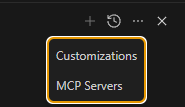
3. Manually configure the All Out MCP server
**MCP Server Setup**
Then paste this into the raw config. Use the port written to the project's `.mcp.json`:
```json
{
"mcpServers": {
"allout": {
"serverUrl": "http://localhost:3333/mcp"
}
}
}
```
If the editor selected a different port, replace `3333` with that value.
{% hint style="info" %}
All Out automatically adds some files to your project to help give AI context:
* `AGENTS.md` with information about All Out and CSL
* `.agents/skills/` and `.claude/skills/` with engine-specific workflows
* `api_references/` with the current CSL API as `.csl_engine` files
* `.mcp.json`, `.cursor/mcp.json`, `.codex/config.toml`, and `opencode.json` for editor access
{% endhint %}
{% endtab %}
{% endtabs %}
{% hint style="warning" %}
If Windows builds are slow, measure before changing antivirus settings. Exclude only the narrowest trusted project or generated path that resolves the issue. See [Windows Defender Exclusion](/reference/windows-defender-exclusion.md).
{% endhint %}